Are you looking for the most popular WordPress Plugins in 2022 according to the number of download Ratings and Frequent Updates? Well, then you’ve been navigated to the correct article. Here, I am going to write about those 7 WordPress Plugins which have gained their place in the Top 7 WordPress Plugins in 2022. Through this article, you’ll be more concise regarding the plugins.
Top 7 Popular WordPress Plugins in 2022 you should use.
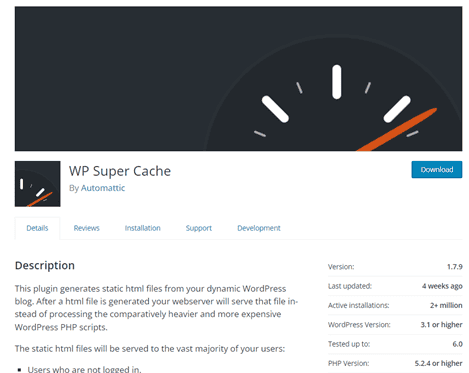
WP Super Cache.
Caching is crucial in improving your site’s overall speed. The basic concept of caching is creating an HTML version of your web pages. This shall serve more quickly than PHPPages. WordPress which runs on a PHP site is formed by many files which communicate with one another to generate data on your page. So, this could be very hard on your server. All those processes come together to create one static HTML Page so, why not save it and display it quicker?
That’s what the WP Super Cache plugin does, it generates static HTML files from your dynamic WordPress site. After an HTML file is generated your website will serve that file instead of processing the comparatively heavier and more expensive WordPress PHP scripts.
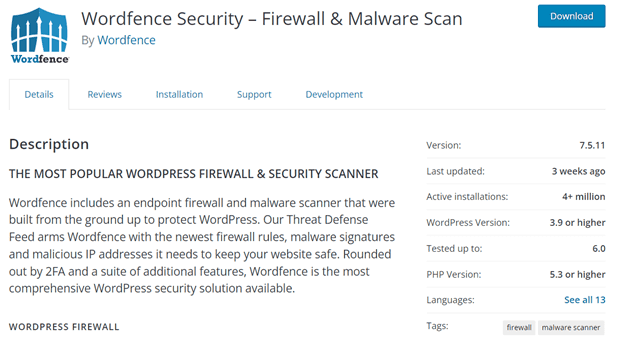
Wordfence Security.
Security is serious business, what you don’t know can actually negatively impact your site. Due to the increase in the use of WordPress, WordPress sites are frequently attacked on a daily basis. Hence, with more active installs and frequent updates, Wordfence Security gained popularity over the past many years till date. This security plugin prevents your site from being hacked, and block potential threats or brute force attack. It filters live traffic and actually verifies your source code integrity. It collects data in real-time visibility into traffic and hack attempts on your website.
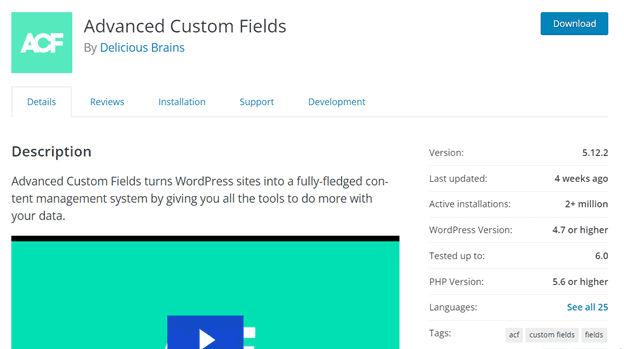
Advanced Custom Fields.
By default, WordPress posts and pages have limited sets of data input fields. But, you may need to collect and display more data than what is available. This is where Advanced Custom Fields comes in handy. Advanced Custom Fields plugin provides both a user interface and programmatic methods.
It helps in creating custom meta boxes and custom fields on any post type. Due to its unique features, it has gained top 1+ million installs and good ratings from users.
Elementor Page Builder
An elementor page builder is one of the best free WordPress page builder options. Thisplugin helps the user in creating beautiful pages. These plugins help you create professional, pixel-perfect websites. Elementor page builder plugin has made the website building process fun and easy. It is also suitable for non-developers and newcomers.
Its flexible and customizable format is a positive side of elementor page builder plugin for your new sites. In 2022, Elementor is one of the leading plugins that has tons of features installed in it. Hence, elementor page builder plugin is the most popular WordPress plugin.
Contact Form 7.
The website is incomplete without a contact page. A contact page basically contains a contact form. WordPress has many contact form plugins among them the most simple, popular, and smart one is Contact Form 7.
Contact Form 7 is the most beginner and friendly contact form plugin for WordPress. With over 1 million active users it is one of the most popular contact form plugins for WordPress. It manages multiple contact forms. further, you can customize forms with simple markup.
Yoast SEO.
SEO (Search Engine Optimization) is the process of getting traffic from organic or natural search results on search engines. Major search engines such as Google,Yahoo, and Bing. The higher your page rank in the result the better, as it allows more people to find you. Thanks to the Yoast SEO plugin, all the components are compiled into one convenient package making it easier to SEO.
It provides guidance for the setting of this plugin and for pages and posts accordingly. Due to its full package and free price, it has gained 1+ million active installs. Also, updates of this plugin come frequently.
WooCommerce.
WooCommerce is a free and popular eCommerce plugin that allows you to sell anything through WordPress-powered site. Built to integrate seamlessly with WordPress, WooCommerce is the world’s favorite eCommerce solution that gives both store owners and developers complete control.
With endless flexibility and access to hundreds of tree and premium WordPress extensions. WooCommerce now powers 30% of all online stores more than any platform.
In conclusion, we’d like to share an article on why to use WordPress in 2022 too. Furthermore, you’re always welcome to drop down your queries in the comment box below.
You may be familiar with WordPress and its uses. But do you know there are two different platforms of WordPress? Yes! You got it right. Those two different are wordpress.com and wordpress.org. Though both are called WordPress, it is different, and knowing the difference between these two terms will allow you to make accurate decisions when setting up your new website. You might get confused between these two and not be aware of the differences between them.
To clear the confusion, let’s go through the differences between wordpress.com and wordpress.com
WordPress.com is a service that helps the user to create a website using WordPress software. WordPress.com is similar to renting a house or space for your website.
Whereas, WordPress.org is where you can download WordPress software to use on your web hosting account. It is similar to owning a house of your own but for the website. It is self-hosted. They are just one click away and are easy to install. A self-hosted site like wordpress.org has almost no restrictions in comparison to a .com site.
WordPress.com is an open-source and free hosting system that is hosted on WordPress. It is free in the beginning unless you wish to use the software with additional features out of the default offered by WordPress itself. If you want your own domain you can pay $12 a year. WordPress.com offers a custom domain name only for paid planWordpress is both free and monetized; free up to a certain limit and monetized for premium services.
The main thing that should be taken into consideration is selling products via e-commerce on wordpress.com is not possible and is equally forbidden to do so.
Whereas, on wordpress.org, You get the benefit of promoting ads of your own choice, unlike wordpress.com. This also allows you to monetize your site which is great news to the ones willing to earn as it can be your business too.
Wordpress.com has limited free themes and limited plugins for your site. This means you won’t be able to install your own plugin or themes unless you pay for premium packages.
Unlike wordpress.org which allows you to upload plugins and your blog is hosted on your own domain. This further provides you with better customization options and you’re free to do anything you want to your website. You are allowed to have your own custom domain name.
Moreover, WordPress.com only provides you with 3GB of space or data and also a subdomain. Example:- (example.wordpress.com). WordPress.org also allows you to access all the backend code, database, and files.
Now, to clarify it let’s go through some of its pros and cons
Pros of wordpress.com
Free service forever
To look after the positive side of wordpress.com, it offers you free service as long as you desire to use it. however, if you require any additional features like your own domain name, audio & video uploads, or custom side template, it offers you a special plan which is to be purchased.
No maintenance required
WordPress.com takes care of the site and all the maintenance of your site is done itself. Hence, you never have to worry about your site maintenance, performance issues, or timely update of your site.
Always live & fast
As mentioned earlier, wordpress.com is hosted by WordPress itself. This is a positive side of wordpress.com as it has amazing hardware that keeps your site alive. Further, maintains the speed of the website.
Cons
Frequent plugins and themes update
Frequent updates are very important and crucial to the health of WordPress. WordPress plugins and updates help to maintain the proper security of the WordPress websites. However, updates might bring minor problems to your website due to which you have to revert back to the older WordPress state.
Website vulnerability
As mentioned above, WordPress is open-source software. hence, it is more vulnerable to attacks from unauthorized malware and viruses. WordPress is a popular target for attacks, data breaches, hacking, & trojan attacks, etc. Hence, this is one of the major cons of WordPress.com. Thus, every user should have details regarding plugins and themes to stay away from vulnerability.
Customization is expensive
WordPress consists of added plugins, generic codes, and oversaturated databases that result in slower websites. Page speed is a crucial thing for a website. The viewer’s impression first falls on how fast the website runs. As, large size images, & themes slows down the website it results in an impatient audience quitting your site.
Pros of WordPress.org
complete control
As you own your websites and all the data, you have full control over your website in wordpress.org. further, this means you can customize the site as you wish and there’s no compulsion to follow rules and regulations of wordpress.org. Here you can enjoy the freedom of displaying your own custom domain name.
monetization is possible
WordPress.org allows you to make money from your site. If you have a small business, wordpress.org is the best option as it offers full e-commerce support via free plugins. Furthermore, you can make money running your own ads without sharing revenue with anyone.
create membership sites
you can create membership sites and further sell them for premium content too. Moreover, you can build anything you want on wordpress.org. It is as easy as installing a WordPress plugin. Along with creating membership sites, you can have access to google analytics for custom analytics and tracking.
Cons of wordpress.org
WordPress.org might collapse
You have to pay attention to your site as it may crash or go down anytime and you may not even notice. Further, this may negatively impact your business, and hiring an agency for the backup will further increase your expenses.
You’re responsible for updates
Though updating is simple via the update button in the WordPress dashboard, you’re responsible for updating WordPress themes & plugins. Also, you’re responsible for backups which can be done through WordPress backup plugins.
securing websites is your job
There are tons of security plugins available to secure the site. Also, web hosts have built-in security and features. hence, you are responsible for the security of your websites and for the backup of your content.
In conclusion, these are some of the differences between wordpress.com and wordpress.org. Now let’s take a look at some of the reasons to use WordPress in 2022.
Websitedesignis a crucial part to attract viewers allowing them to stay on the site for a long time. Website designs trend changes every year and makes a comeback every time with new innovations. Every design from the 80s and 90s comes along with modern touch. The increase in website demand for web designers is also increasing day by day. Website designs should be easy to the eye, fast, and clean which allows the user to stay on the site for a longer period of time.
Following are some of the trends in website designs in 2022:-
Typography
In 2022, typography with big and unusual bold fonts is never criticized. Typography is leading to making the website look engaging and interesting as much as possible. This trend is increasing rapidly and might not go out of style for the next few years too.
Good and engaging typography-themed website design attracts customers and creates a genuine impression on the audience. And this is exactly what every web designer should consider & realize.
Typography along with animation makes every boring text engaging. 2022 is the year of typography. Who wouldn’t like reading their boring text when it’s mixed with fun and engaging text.
After typography, a one-page website has been trending among websites. It allows the creators and designers to create a site more attractive with immense use of creativity. This type of design allows lesser distractive content that might compel the audience to exit. The one-page website works best for a portfolio or presentations where information can be sent quickly and efficiently.
We have seen its popularity on the majority of websites where they forgo the use of menus and navigation. This type of design has fewer movements of content, big images, or other distractions. Hence, It is one of the most chosen types among the creators which is why it is trending in 2022 and doesn’t seem to go away real quick.
Whether it is website designs or clothing, retro schemes never go out of style. Especially, Classic image filters, retro fonts, and blurriness lead the style. This type of design brings back the memories of the 80s and 90s creating nostalgia among the audience.
Retro-inspired website design schemes use unique styles and images. It connects the audience emotionally with vintage graphics and color pop effects. Likewise, Among retro schemes, black & white schemes are the leading theme.
In 2022 we’ve seen various designs stay in the lead among them lay retro theme. Black and white schemes do sound intimidating and its aesthetic design is easy on the eyes. Results are incredible and attract customers to the site.
Imagery multilayers are the new design trend here in 2022 that gives users a different and unique look. This design is mainly used to simplify complex topics or content. Multi-layer images are the best way to grab customer attention and trigger positive emotions among the audiences. Also, Imagery multilayers as value to your content and website. By imagery multilayers, you’ll be able to highlight your content more effectively and makes it more appealing.
Memphis design has been continuously making a comeback. Though it is a design of the 80s, it is still leading in 2022. Memphis design is more focused on shapes, patterns, abstract designs, and the proper use of stripes. And, They provide a more organic texture.
It defines the aesthetic style of a splash of color along with complex patterns and shapes. This type of design makes you nostalgic. Memphis design is not just a design trend but also a medium to create a positive impression.
Trends of gradients are not just trending in 2022 and aren’t completely new. It evolved many years ago and is one of the hottest and coolest themes to design your site. Web designing with a gradient theme is a popular and versatile design that has set up new standards in the context of creativity.
The majority of people mightn’t have noticed it, but gradients made a comeback after Instagram launched its new logo with a gradient theme. It offers more space and allows the illusion of movement without animation. Also, A perfect gradient feels more natural and gives a unique texture.
The website design is done with the proper gridlines and borders. But, in 2022 there is no limit regarding lines and grids. Visible borders make the design more real and natural.
That’s the reason why it is trending in 2022. Moreover, going off the grid has been explored among the trends.
Going off the grid and visible borders mightn’t be a good idea but have been increasing rapidly. This gives the website unique shapes and structures. Some websites are emphasizing the use of borders whereas others are embracing it and using it wisely.
Web development is advancing in today’s world with newer and modern technology. Developers are discovering newer websites in an innovative way. The world is changing as technology is changing which can be witnessed easily in web development trends too. Also, In today’s era, web developers are trending as the need for developers is among the highest. Likewise, New updates are emerging leading to advancements in technology and web development. Now, let’s look at some of the top trends in website development in 2022.
Top Trends in website development in 2022
Javascript
Progressive Web apps
Voice search optimization
Artificial intelligence
Virtual Reality
Blockchain technology
Cloud computing
Web assembly
Dark mode experience
Cybersecurity
Javascript
Javascript is one of the most popular programming languages used by programmers to develop apps. Java is said to be the easiest programming language to learn. Hence, it can be easily learned by anyone who is new to coding. By now, Javascript is everywhere and is used by every developer. It is used by websites to script web pages.
Javascript is the most flexible programming language on the web. However, It is quite different from HTML as Java is a scripting language whereas HTML is a markup language. Let’s look at some of its benefits in today’s era: –
BENEFITS:-
Java is easy to learn it is flexible and can be learned even by newcomers too.
Java runs on the client’s browser and is interpreted language that increases its speed and reduces time compared to another programming language.
Moreover, Java has a simple structure and is also feasible which makes learning this language easy and simpler.
Java is among the popular programming languages. Various applications like Spotify, Amazon, Google, etc use Javascript.
Java is versatile as it is capable of both front-end and back-end development like Node JS and Angular JS.
Progressive Web apps
A progressive web application is application software that works on any device with a normal browser. It includes programming languages like HTML, CSS, Javascript,etc. Furthermore, It is also a website that can operate on web pages as well as mobile apps.
PWA behaves as a mobile app and companies that have launched PWA have seen impressive results. For a PWA to be good it works fast, work on any browser, and further provide an offline experience.
Let’s look at some of its benefits: –
PWA works on any device and any browser with a flexible screen size.
It increases user engagement, and conversion rates and provides impressive results.
Likewise, It can install faster, and automatic update is its key feature.
PWAs focus on users’ needs and understand the business impact.
Also, It is easily installed without depending on app stores or Play stores.
Voice search optimization is searching for results according to the keywords and phrases recognized by the voice assistants. It is one of the easiest and most reliable methods to get information simply by speaking to your device.
Voice search is one of the most prudent ways to optimize your content. It is the most popular and simpler way to search with your keywords and phrases. It further improves your SEO and also changes the way your brand does SEO.
The volume of voice searches is increasing day by day and is expected to rise more in the upcoming years. We all are already using voice search as it is available on every modern device. Some of the developers that use voice search are Google Assistant,Alexa, Siri, etc.
Benefits:-
It answers your questions quickly and clears all your queries
Voice search optimization brings lots of changes to the SEO of your brand.
Also, It is believed to take care of your mobile UX
It is beneficial to the ones with hearing impairments or sight problems.
Voice search is more efficient than typing a long text.
Artificial intelligence
Artificial intelligence is the future of the virtual industry. By now, AI has been deployed in numerous sectors like finance, education, health, transportation, and so on. It has helped us a lot with our day-to-day activities and also in connecting with people from all over the world.
Voice assistants like Google Assistant, Alexa, and Siri are a common examples that has been using AI. Along with that, our device includes face recognition and smart keyboards that is the part of AI. The majority of people might not be aware of this, but we have been using Artificial intelligence in our daily life while using electronic devices.
Benefits: –
It cuts off the overall time taken to perform tasks and operates 24/7
AI is easy to use and has a simple structure that is easily understood by anyone.
It has the ability to provide services to differently-abled people as well.
AI has assisted developers in creating and defining more intelligent and powerful computers.
AI is able to handle information better than humans and introduce innovative ways to solve problems.
Virtual Reality
Virtual reality is a computerized experience with 3D scenes and images that makes the users feel entertained. It is completely different from the real or might be similar to it. Virtual reality creates a virtual environment where people interact with computers similar to interacting in the real world.
The craze for virtual reality is increasing day by day and can rise more in the upcoming years. It is one of the most important web development trends of 2022. VR is all about creating 3-dimensional objects through the use of lights. It is simulated, computerized, and Augmented reality.
Benefits:-
It increases creativity and expands learners’ knowledge.
Also, Users can experiment with a world completely different or similar to the real world.
VR makes learning easy, comfortable, and simple.
It is important assistance to web development and further provides digital opportunities to the users.
It saves time, and money and assists the user in exploring the virtual world and interacting with virtual objects.
Blockchain technology is a technology that facilitates the process of transactions that helps to reduce the risks of cyber crimes. This technology offers tons of benefits that make the process of transactions safe and secure.
It allows the development process much easier and faster. Anti-money laundering tracking systems and cross-border payments are some of the blockchain applications. Blockchain technology also blocks the stores of transactional records.
Benefits: –
Blockchain technology enhances security as your data is confidential and crucial.
It reduces costs and abolishes financial services that use traditional techniques.
It provides better transparency and also improves speed and visibility.
Blockchain is decentralized, there is less chance of committing mistakes.
It works on the set algorithm that makes it flexible and allows secure transactions.
Cloud computing refers to the use of remote servers to store, manage, and process data. It started to emerge and rise rapidly as a trend during the pandemic as almost every company shifted towards working remotely. Cloud computing provides better flexibility and faster innovations.
It can use disaster recovery services that help businesses recover from disasters quickly. Cloud providers are also experts in offering various security features.
Benefits:-
It is cost-effective and helps to reduce costs. Hence, a business no longer has to invest a large sum of money on hardware and software as they can access cloud-based applications.
Cloud computing provides flexibility and is highly scalable through which businesses can scale up or down their usage.
It provides a secure environment to the users compared to traditional IT infrastructure as it has enhanced security features viz. data encryption.
Cloud computing offers benefits to the environment as well as helps businesses to reduce their carbon footprint.
It helps to improve the experience of customers while using cloud-based applications.
Netflix, Google Drive, and Amazon web services are among the popular users and providers of cloud computing.
Web assembly
Web assembly is an innovative code that can run in modern web browsers and is a low-level assembly-like language. It is also known as Wasm and is used for enabling deployment on the web for client and server applications and for programming languages. It is available in a high-level language. Wasm provides execution of any code with faster performance.
However, it cannot replace Java script. Studies and research conducted reflect that Wasm is faster than Javascript on desktops and smartphones. Wasm is the new way to run code on the web. However, it is still in its development process & indeed is the future of the web.
Benefits:-
The size of the code is small which makes it faster and more efficient to load and execute its work
It is able to execute on modern web browsers without any issues and is in fact perfect for mobile browsing.
It supports multiple programming languages and offers the benefit of easy debugging.
Wasm is secure, doesn’t break the web & is readable too.
Similarly, It can execute its code at near-native speeds.
We all are already certain about using Dark mode on our devices and browser. It was introduced a few years ago and is one of the major considerations today. The majority of people prefer browsing in dark mode compared to a light theme. The dark mode is easy on the eyes and consumes less battery for the devices.
The dark mode is unavoidable for web development in 2022 and in the upcoming years too. A darker interface is especially a benefit to users who work at night for a longer period of time.
Benefits:-
It reduces eye strain and lessens the risk of problems in your eyesight.
The dark mode is useful to your devices as it saves battery and prolongs battery life.
There is less emission of blue light which keeps your eyes healthy.
The dark mode gives your browser look appealing and amazing compared to the bland white look.
Studies reflect that it is useful for people with light sensitivity and visual impairments.
Cybersecurity is the protection of hardware and software or devices themselves from cyber threats. It is useful to protect devices and data in it from unauthorized access. Further, It is useful to prevent your device from attacks. As technology is advancing day by day, cyber threats are increasing too.
Various companies without proper encryption have been facing cyber-attacks leading to the loss of data and the leak of personal information of clients. Hence, Cyber Security is a way to prevent technology from hacking, phishing attacks, etc. It is another interesting trend in today’s digital era for protection and device security.
Benefits: –
It provides protection against external and internal threats.
Cyber Security allows employees to work safely.
Moreover, It creates trust among people to continue to rely on your services.
It prevents various financial threats and prevents websites from crashing.
Likewise, Cyber Security safeguards the personal information of the client and the business and provides digital protection
McAfee, IBM, and Fortinet are examples of companies with the best cyber security.
Please feel free to use the comment section to express your view. And don’t forget to check our article here!
Images do play a significant role to attract an audience to your website. Don’t you skip the contents without pictures? Without any doubt, the majority of people prefer a graphical representation of the content with only text. Studies also prove that 80% of people remember what they see rather than what they read. Image is used for various reasons on a website. For instance, to enhance websites, demonstrate or explain any part of the text, present informative text in a more understandable way, and so on. Images act as a medium to transfer data easily to the viewer. This further makes content more appealing and compels the audience to stay on the site for a longer period of time. You may take the example of Google Lens to analyze how visual search ranking works.
By now you already have some ideas about the role of images in a website. So, let’s overlook some of the points to get detailed knowledge on the topic.
Following are some of the important of images on a website: –
Images Improve user’s experience
As mentioned above, Images present information in an appealing and understanding manner. This improves the user’s experiences as they get what they wanted. By improving users’ experience, visitors stay on the site for a longer period of time.
This will further increase organic web traffic and people click on your site more often.
Draws attention and attracts customers
Images improve the quality of the content. Improvement in the content compels the audience to stay on the site for a longer time. It does have great value when it comes to presenting the information. It makes the content more understandable and valuable.
Using high-quality images related to the context will reflect what your site is all about. It avoids your site to look messy and unprofessional. Further, Image optimization leads to website content optimization.
Improves visual search ranking
Using meaningful images related to the content plays an important role in conveying messages which increases visual search rankings. It creates an immediate impression of your site on the audience.
This will further help in maintaining SEO. Hence, images are important to increase the ranking in search results. As it also brings positive changes to your web traffic to your site.
Brings life to your content
Images on your website make the text easier to understand. It also your website look more appealing and brings life to the content. It captures visitors’ attention especially when they show up on search results.
Properly labeled images are the life of the content, product, or goods. Images should be related to the text or the content on the website. It gets more views compared to the content with only texts and no graphical representation of the content.
It is an integral part of the content of your website. As it makes your website look more appealing and higher-quality images increase user engagement.
It also brings products and services to life as this impacts the emotions of the viewers. A properly labeled image attracts the viewers and it gets more views compared to dull texts.
If you have any questions, feel free to let us know in the comment sections below. And don’t leave without checking our article on Elementor!
Hey! Don’t you wish to create a website without any knowledge of coding. Well! Here’s a solution to it. Creating a website in today’s digital world is not a big deal, with platforms like WordPress, Squarespace, and Wix where we can easily create websites. In this blog, I will share a quick and simple guide to creating a WordPress website.
So let’s move toward getting to know more about WordPress.
Let’s take a brief look at WordPress. There are numerous ways to build websites, but why is WordPress the ideal option to develop websites among the developers?
What exactly is WordPress, & why should you choose it?
WordPress is the most popular CMS globally used to create web pages, and posts and publish them. In fact, it powers almost 40.6% of the active internet base. WordPress offers tons of advantages to its users along with a variety of themes and plugins.
The most important feature is that WordPress is absolutely free & secure to use. In other words, WordPress is only a few clicks away to install and use freely.
According to what is mentioned above, WordPress is FREE but you’ve certainly heard about people paying for the websites they’ve built.
To clarify, let’s talk about the differences between WordPress.com and WordPress.org.
WordPress.com vs. WordPress.org
The main difference between WordPress.com and WordPress.org is who is responsible for hosting your website.
Firstly, WordPress.org is a free platform to create and maintain websites. It is a highly recommended platform that allows you to host your own website.
However, WordPress.com is another option but is slightly different. It is a web-based platform that will assist you in hosting your sites. Each element is handled carefully by WordPress and is in fact easier to start.
Hosting companies such as Bluehost or SiteGround are just as easy to use as WordPress.com, but they are less expensive and provide more flexibility.
Throughout this article, we shall talk about WordPress Software that is available here WordPress.org
Moving on, let’s take a look at the fragments of building a WordPress website from scratch.
Step 1:- Register a domain name
Prior to learning about the creation of a WordPress website for starters, you’ll require a domain name for your website. A domain name refers to your website address on the internet. It assists in attracting customers and increasing brand awareness.
In simpler words, your website’s permanent internet address is the domain name. To elucidate it, let’s take a look at the following example where ourvirtualtribes.com is the example of the website’s domain name.
A domain name is similar to your home’s address which justifies your location in the world.
Following are some tips you can use while choosing a domain name for your site:-
The domain name must be related to your site content.
Try considering keywords related to your business to sound good. For example, if I create a travel blog, I can include keywords like “food”, “foodie”, etc.
Keep it in a nutshell.
Select an appropriate extension like .com, .org, .net, and more as they convey some specific meaning; for instance, .com is used for a commercial while .org is for organizations. So, choose based on what your website is all about.
2. Buy a web hosting
Web hosting is an engine that drives your website and is a place where your website’s files live. Anyone willing to build a website must have web hosting if you want others to access your website.
It’s easy and simple to purchase web hosting as the efforts of the companies make the process easier and simpler. The best & suitable way to build a WordPress website is via the hosting service provider under WordPress’s recommendation.
While exploring web hosting providers viz. Bluehost, Siteground, and Dreamhost you can learn about other hosting services too like:-
Shared
Managed WordPress
Virtual Private Server (VPS)
Dedicated
Cloud
Hence, You can select any one of the above hosting plans according to your website needs after reviewing your need for memory, space, and other resources along with your budget.
After purchasing your domain name and web hosting, you’ll receive an email from the support team along with your details that can be used to access your profile and start working on your website.
Many hosting providers offer quick and simple one-click WordPress installations or manual ones that make things comfortable.
Let’s take an example, If you choose Bluehost it shows a simple wizard to move with the installation.
In cPanel, scroll down and hit the “WordPress” icon.
You will see the Quick Install option to download WordPress. Click on “Get started”.
Next, select your domain name. It’s where your WordPress site will be hosted. Click “Next”.
Enter your site name, admin password, and admin username. Click on “install” to continue.
Once your installation completes, it will show a message – “Installation complete”.
After you’re done, you can start working on it picking pieces of functionality and designs for your WordPress site.
Now, Click on the link provided to find your WordPress login URL along with the password.
Log in with your username and password to start working on your new website.
However, If you need to install WordPress manually, it might take some time but it’s easy. You may check out the official guide by WordPress.org on how to install WordPress.
Basically, you’ll need to download WordPress, upload your files to the domain name folder, create a database, point your browser to the domain name and follow the instructions.
You’re done! You have created your first WordPress website.
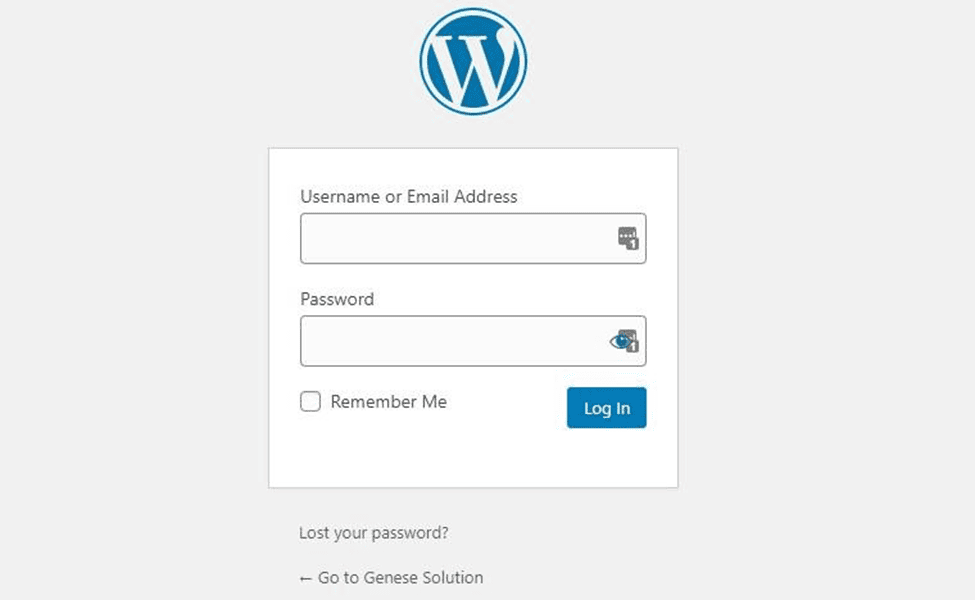
You can now head over to the WordPress login page & can always access your dashboard by going to:
yourdomain.com/wp-admin
You can log in to your WordPress site using the admin username and password you entered earlier.
Login Interface
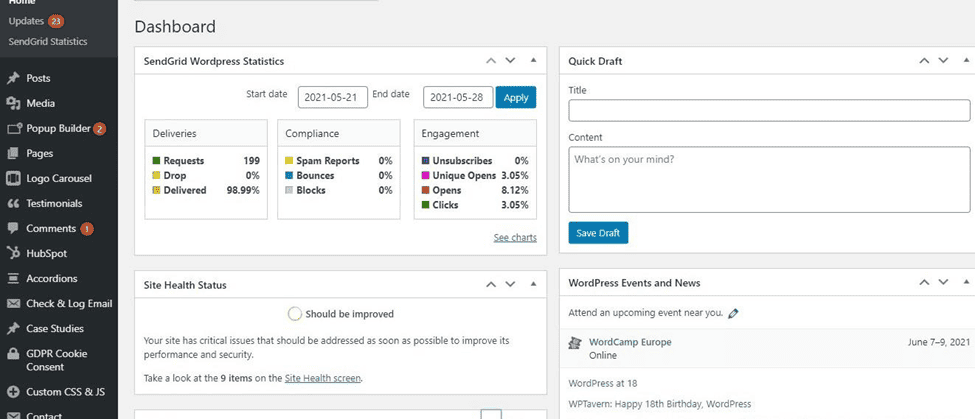
After entering your log-in data, you can see the main interface of WordPress.
Main WordPress interface
After this process, let’s choose a design for your website.
The best part here is that you can customize everything in WordPress as you wish. You’ll have to make efficient use of WordPress themes or Templates.
In simpler words, WordPress software provides users with a pre-designed look for your website its posts, and pages. It is the main design layout or the integral part of your site’s outlook.
Themes section of wordPress
Where to find the best WordPress themes?
The popular and easiest place to get free Themes for your site is from the official themes repository. There are over 7700 themes to choose from and the best part is all of them are free to boot. Thus, you can set up a WordPress site to look beautiful for absolutely free.
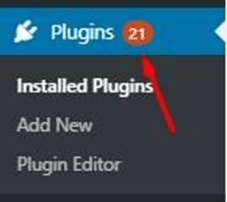
Likewise, you can install plugins into your website to enjoy benefits like better security, SEO, contact forms, Google Analytics, and more. Currently, WordPress provides over 55,000 plugins completely FREE at your disposal.
Plugins
Step 5:-Add Content to Your Site
WordPress comes with two default content types called posts and pages. Posts appear in reverse chronological order and pages, on the other hand, are meant to be static. For instance, Your about page, Contact page, Privacy policy, etc.
How to Create Posts and Pages in WordPress?
Post and Pages creation are similar to each other.
first, select the Posts/Pages option on the sidebar. This will bring you to the page where all your posts/pages will be listed.
Now to create a new post or page, just click on the ‘Add New’ button at the top.
This will drop you to the WordPress post editor. Here, you can include all kinds of content including text, images, or other graphics which is fairly intuitive.
After you’ve completed preparing your content, simply click on the ‘Publish’ button located in the right corner.
Step 6: Customize your website
General settings in WordPress
Along with theme customization, you can further customize your website in numerous ways. Let’s take a brief look at some of them:-
Initially, let’s start by customizing your site title. From your admin dashboard, select Settings > General. Here, add your website title and tagline. You can also toggle other basic site information like your URL, email, time zone, and more.
Further, let’s customize your reading sections. Under Settings > Reading, you can change your homepage to a static page.
Reading section in WordPress
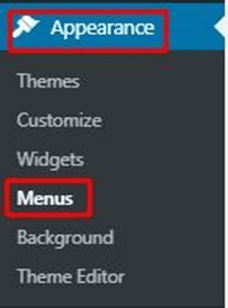
Now, To create a WordPress menu, go to Appearance>Menus from your WordPress dashboard.
Step 7: Managing WordPress Security
Now that you’ve completed creating your WordPress website and adding content to it. you’re almost done. however, there are a few essential things you must work on immediately. let’s make your website secure.
Here are a few easy steps to make your website more secure:-
Keep WordPress Updated
Keep your Themes and Plugins Updated
Enable SSL
Backup your Websites Regularly
In addition, the following are some of the best WordPress plugins for secure websites:-
Step 7: Optimize your content for SEO and performance
There are some Seo plugins like Yoast SEO to optimize your content and further increase visibility. Moreover, Optimize permalinks, headings, titles, subheadings, videos and images, and other media.
Likewise, Speed plays a significant role to make the path to the success of your website.
Certainly, none of us like to wait. Hence, don’t let visitors slip off your site due to poor page loading speed.
Enable browser caching to improve your website’s performance. Well! Browser caching is the process of temporarily storing your website’s data on your visitors’ browsers. In this way, your content doesn’t require to be sent from the web server for it to appear in the browser, which increases the website speed.
Install and activate a caching plugin like W3 Total Cache to enable caching for your website.
Wrapping Up
Congratulations! You’ve successfully learned how to start a WordPress website!
Now you know the process is simple and easy. The great thing about WordPress is that even absolute beginners will be able to have a site of their own in no time.
We hope this article made the whole process clear to you.
Elementor is known as the best plugin by which we can create pages in WordPress. In simple terms, it is a page builder for WordPress. Elementor is easy to use.
Google webmaster also known asGoogle search consoleis a platform for websites to control. Moreover, monitor the interaction of the site with Google. It is responsible for monitoring the website’s performance (visitor’s insights), analyzing URLs, and keeping track of your backlinks and domains. The webmaster is one of the best tools to monitor the overall site performance. Google webmaster is a partner of Google analytics (analytics.google.com)
It allows you to create and build your site so that it’s easier to appear in Google searches. The webmaster helps the developers, and website owners to keep track of their websites and accordingly fixes issues to let your site sparkle in the google search results.
How to create a Google webmaster account?
Let’s overlook at the steps to create a webmaster account:-
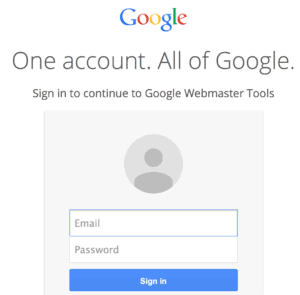
1. Create or sign up for a Google webmaster using a Google account
Initially, create your account through your Google account details (email & password)
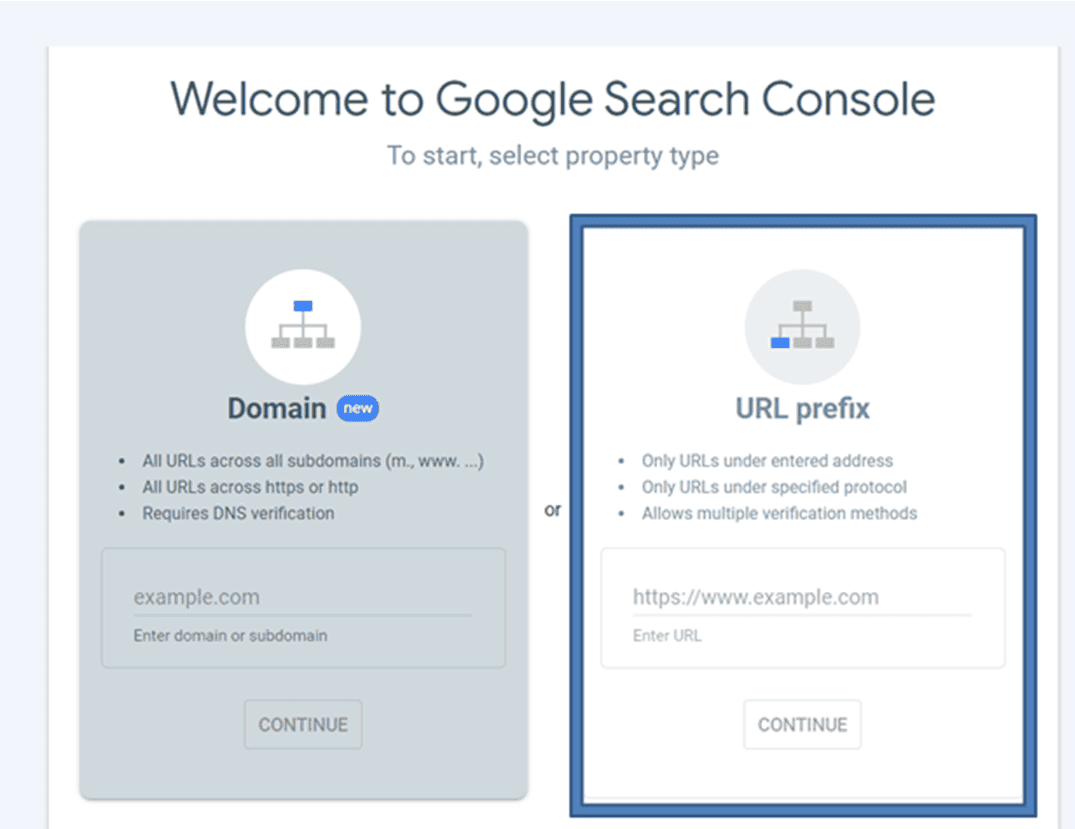
2. Under URL prefix
URL prefix specifies the URL of your property which is easier to verify through the HTML method.
You need to add your website’s URL
Click continue
3. under the domain
Domain property specifically tracks your data about your entire site.
under this add your preferred domain name.
Click continue
After the verification process, a dialogue box appears as Verify Ownership where you need to download the file.
Click Verify
After clicking on Go to the property you go to a new page where you can see your site’s URL, site performance, coverage, etc. Coverage in the webmaster provides data and information on the indexed URLs and keeps you informed regarding any issues.
Google search consoleis a collection of SEO that helps in managing your site to appear among the highest and most relevant.